
Finally, we share out the app. From the Dojo Membership solution view, select our Dojo Membership app and click the Share button
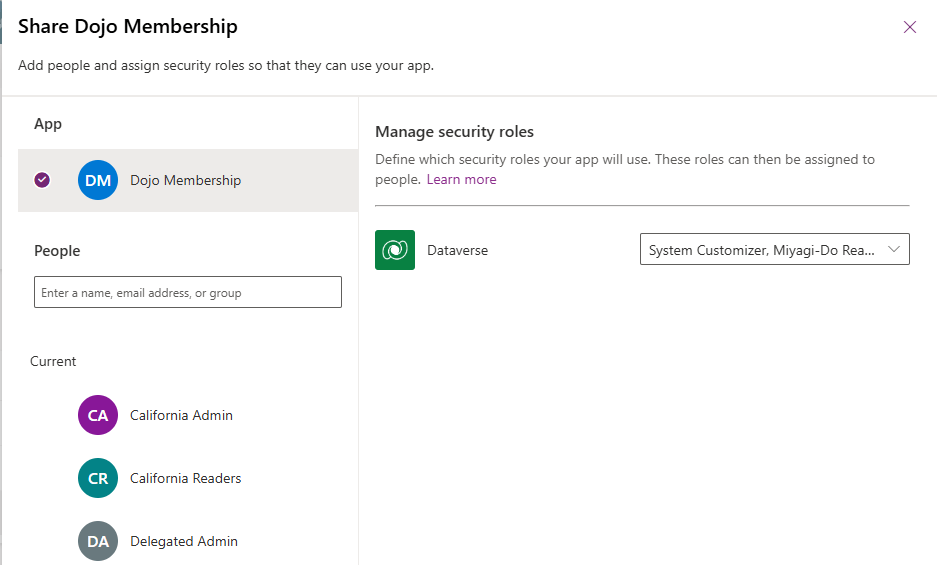
Click on the Dataverse dropdown to select all of our Security Roles
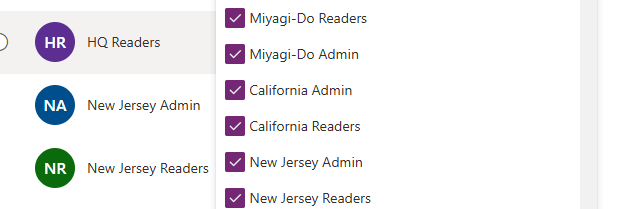
For each team name listed, verify that the correct Security Role is shown before clicking the Share button:
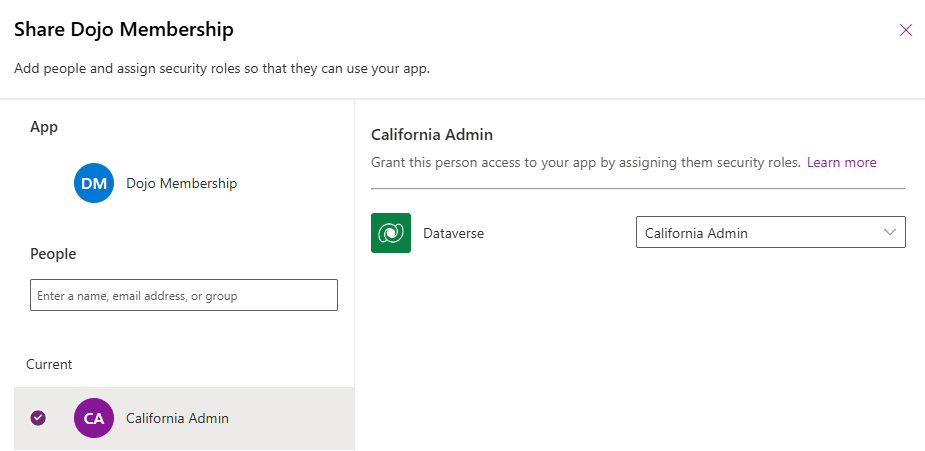
This will share the app to the group of users and assign them the correct Security Role.
When Jonny Lawrence logs in, any records he creates will have their Owning Business Unit set to California and he will only see California records. When Chozen logs in, he will create and see records for the New Jersey Business Unit. Daniel LaRusso sees everything!


Leave a Reply