
So we’ve published our first model-driven app. The end? No… this is only the beginning! User needs change over time, so we will always seek to improve and update our software. This can take the form of functional improvements introducing new capabilities, or visual updates to improve the user experience. Today we’re looking at visual improvements to improve on our vanilla app – we’ll be adding icons to our Dataverse tables.
Before we start, let’s get some icons. There are many websites that offer free SVG icons, such as:
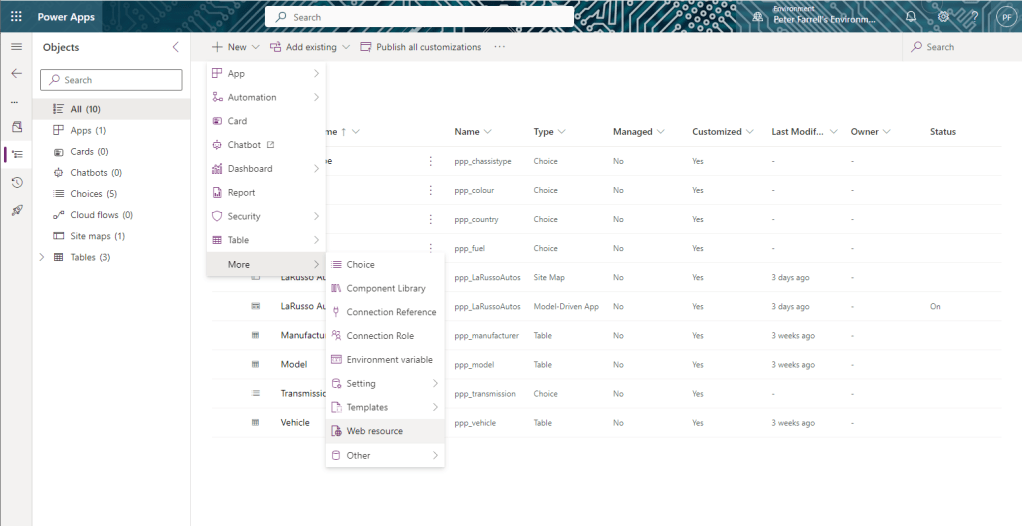
I’ve downloaded a few icons for my LaRusso Autos app. From the solution view, I want to click All in the side navigation, then + New > More > Web resource from the top ribbon.
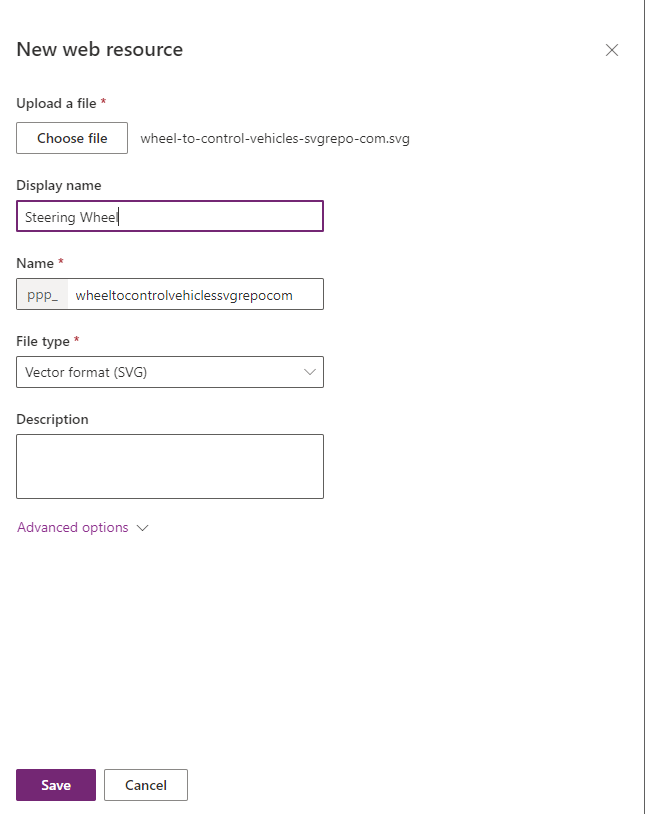
This will open a dialog in the side window where I can upload my SVG icons into my solution. I will complete this form for each icon I wish to add to my solution, giving each a meaningful Display name.
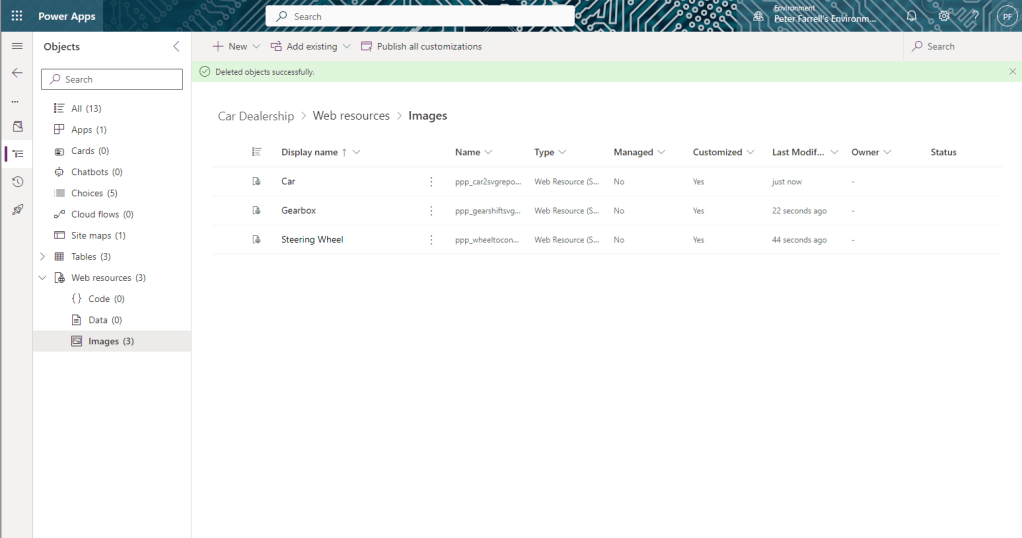
I can view my uploaded icons by choosing Web resources > Images from the side navigation.
Now let’s allocate images to tables.


Leave a Reply