
Finally, we create our Complete Service flow:
- Trigger – Dataverse – When a row is added, modified or deleted
- Action – Run a Child Flow
Note that our flow must be added to the solution before we can access the Run a Child Flow action.
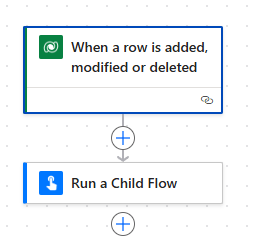
We complete the Trigger as follows:
- Change type – Modified
- Table name – Services
- Scope – Organization
- Filter rows – ppp_servicecomplete eq true
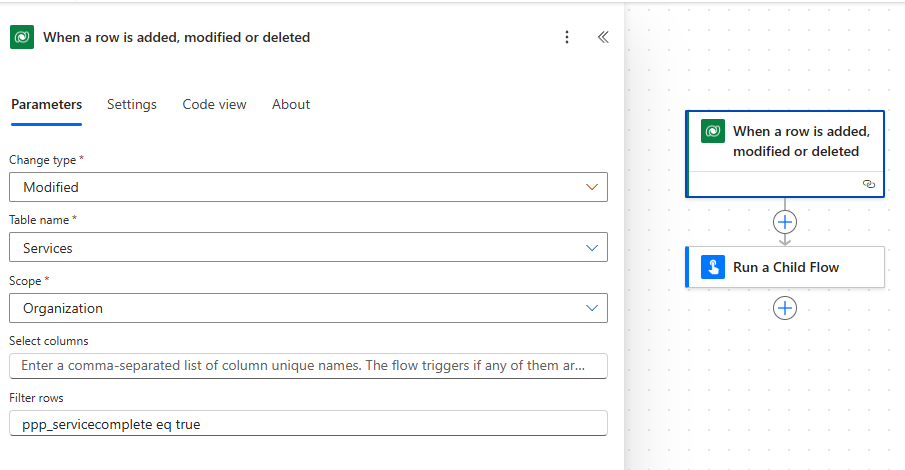
The last property here is important. Our flow will only be triggered if the Service Complete column is set to true. No other field changes will trigger this flow.
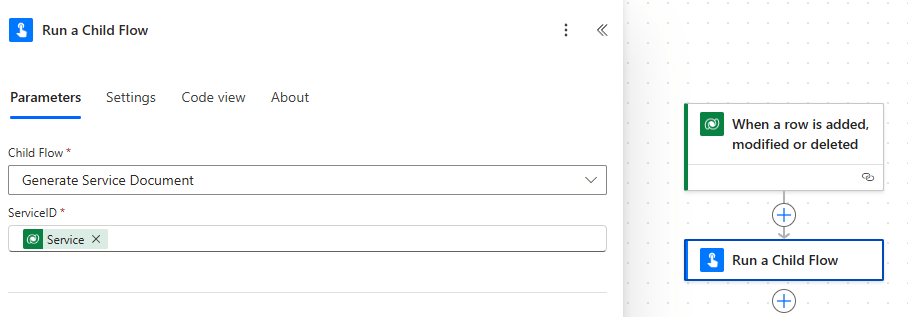
We complete the Run a Child Flow Action:
- Child Flow – Generate Service Document
- Service ID – Service (reference to the row that triggered the flow).
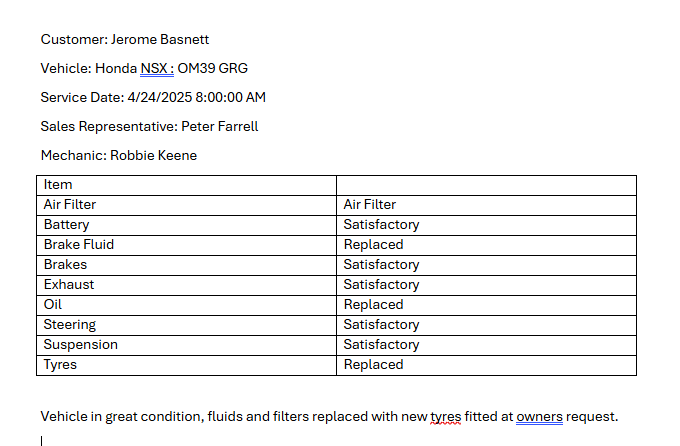
Now when our Mechanic completes a Service, the Salesperson receives an email with an attachment like this:
Let’s recap on what we’ve covered:
- Creating Word Templates
- Expand Query functionality
- Fetching Choice labels rather than values
- Generating the document

 Power Platform Pete
Leave a comment