
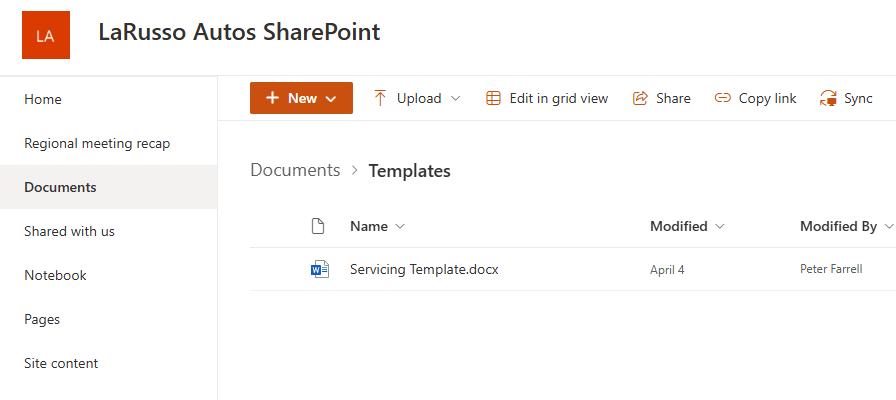
Now that our template is created, we need to store it in a location that is accessible to our Power Automate flows. I’ve chosen to store mine in a SharePoint library on my tenant:
Now let’s create our Generate Service Document flow. Our flow consists of the following elements:
- Trigger – Instant – add a text parameter named ServiceID (shown below)
- Scope – Try
- Action – Dataverse – Get Row by Id (renamed as Get Service)
- Action – Dataverse – Get Row by Id (renamed as Get Vehicle)
- Action – Microsoft Word – Populate a Microsoft Word template
- Action – Outlook – Send an email (V2)
- Action – HTTP – Response (renamed as Successful Response)
- Scope – Catch
- Action – HTTP – Response (renamed as Failed Response)
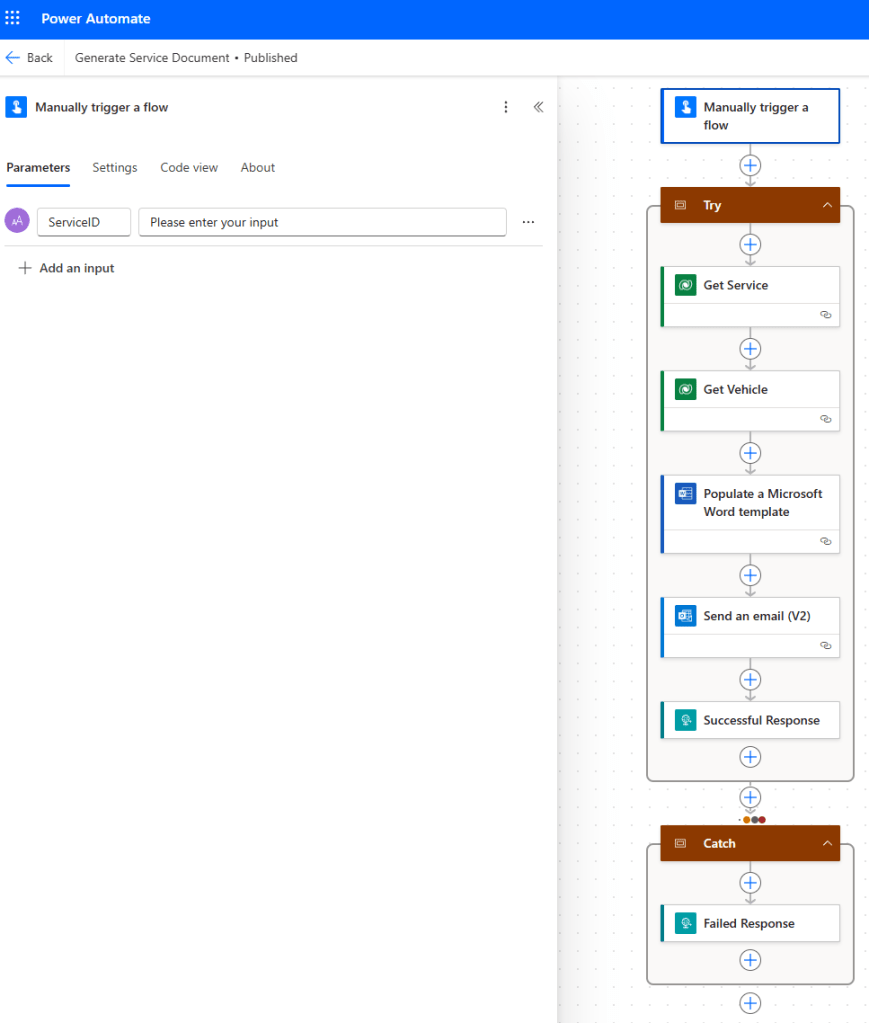
Again, we are using the Scope containers to implement try/catch error handling, as outlined in this post. The first Action of our Try Scope is the Dataverse Action Get a row by ID, which I’ve renamed as Get Service – in this Action, we will fetch the a record from the Service table where the ID of the row matches the ServiceID parameter from our Trigger.
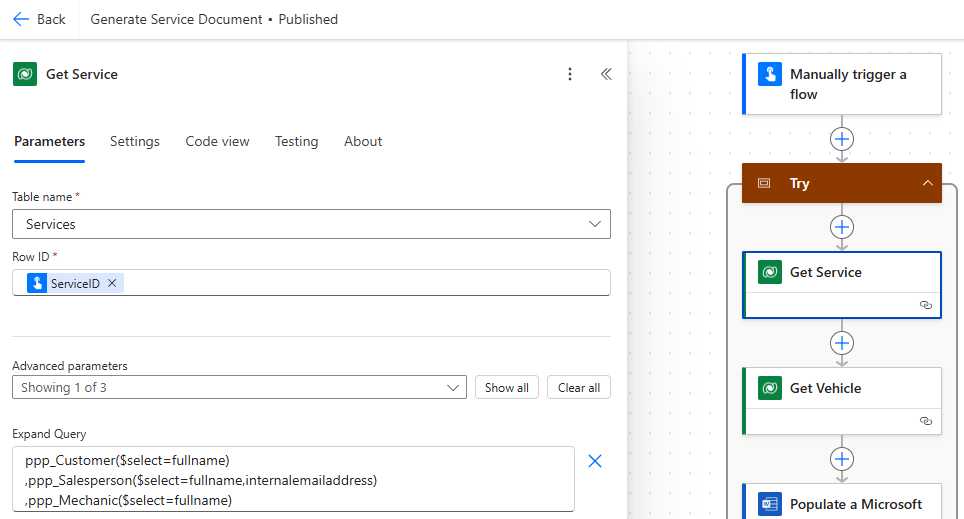
Complete this Action is follows:
- Table name – Services
- Row ID – ServiceID (from the Trigger)
- Advanced parameters – select Expand Query
- Expand query – see below
The Expand Query field allows us to fetch properties of linked records. In our case, our Service record has the following links we are interested in:
- Customer – name
- Salesperson – name and email address
- Mechanic – name
Without the Expand Query option, we will only have links to the ID fields for these rows. Add the following text to this field:
ppp_Customer($select=fullname)
,ppp_Salesperson($select=fullname,internalemailaddress)
,ppp_Mechanic($select=fullname)
Note the use of the schema name (capital letters) rather than logical name (all lowercase) for the column names in the Service table, but not in the select field.
But we’re also interested in the Vehicle details, why don’t we add those to our Expand Query field? This is an interesting limitation of the Expand Query function. We want to grab the following details about the Vehicle
- Registration
- Manufacturer.Name
- Model.Name
The Expand Query function could be used to fetch the Vehicle Registration property because there is a relationship between Service and Vehicle.
However, there is no relationship between Service and Manufacturer, nor between Service and Model. The relationships here are Service -> Vehicle -> Manufacturer and Service -> Vehicle -> Model respectively. In short, the Expand Query function does not support nested lookups.
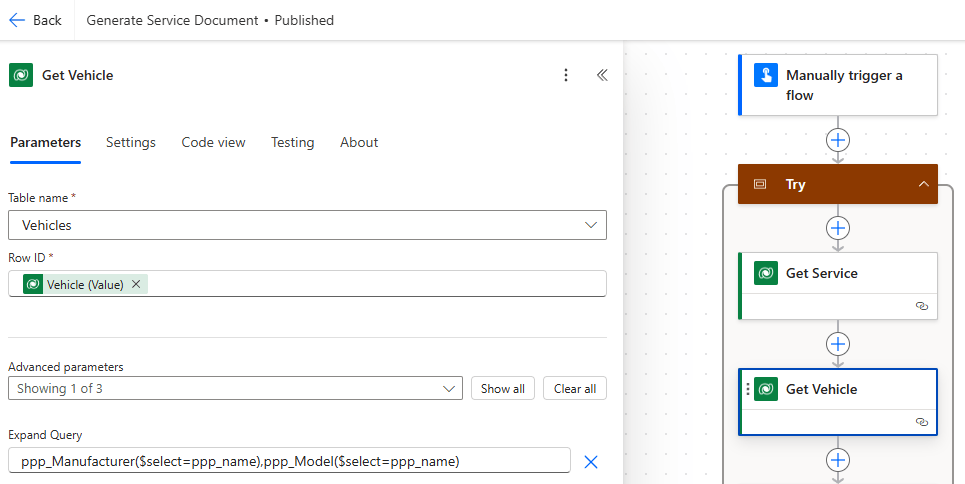
Consequently, we have another Dataverse Action Get a row by ID renamed as Get Vehicle, so that we may fetch the details in that Action:
- Table name – Vehicles
- Row ID – Vehicle (Value) from Get Service Action.
- Advanced parameters – select Expand Query
- Expand query – see below
As mentioned, we are interested in the Vehicle Manufacturer and Model, so we complete the Expand Query field as follows:
ppp_Manufacturer($select=ppp_name)
,ppp_Model($select=ppp_name)
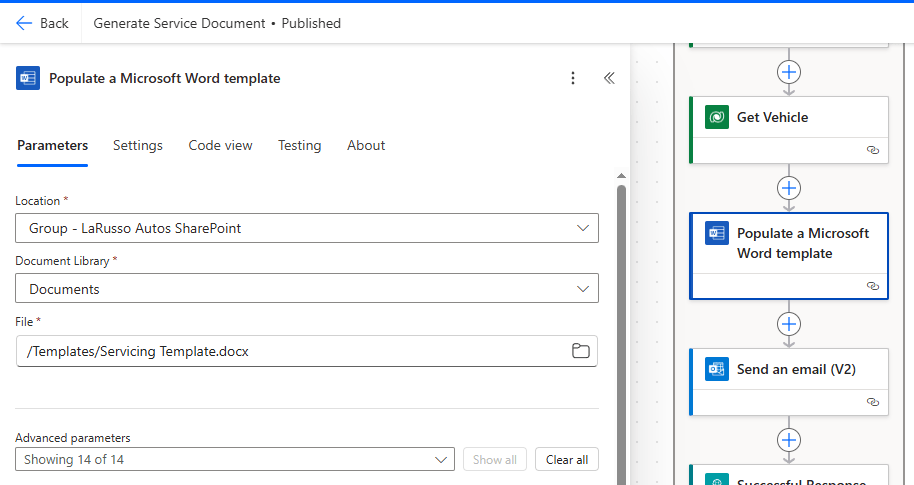
Now we come to populate our Microsoft Word template – specify the Location of the template, which Library it is in and the template File itself.

 Power Platform Pete
Leave a comment