
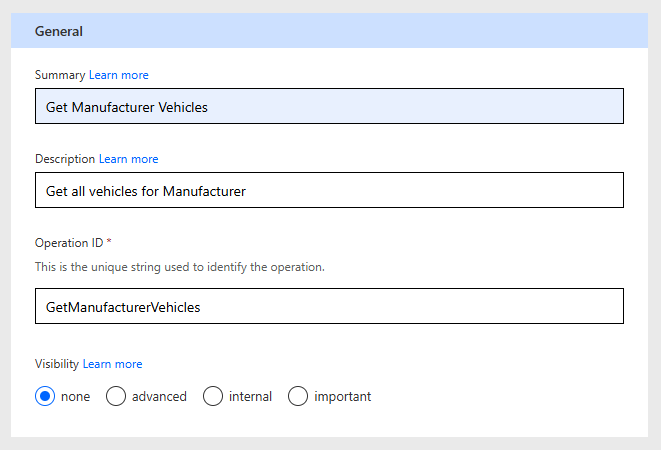
Now for our second API endpoint. Click on + New action as before, and complete the General section as follows:
- Summary – Get Manufacturer Vehicles.
- Description – Get all vehicles for manufacturer.
- Operation ID – GetManufacturerVehicles.
- Visibility – None
Before we complete the Request section, we’ll update the Response section (there’s a little bit more tweaking in this request). As before, click the Import from sample link. In another browser tab, go to our API endpoint and copy and paste the response into the Body section, again as before.
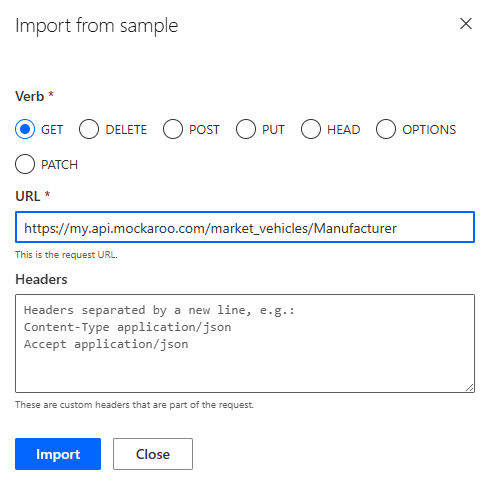
Now the trickier Request section. Click on the Import from sample link and complete as follows:
- Verb – GET
- URL – https://my.api.mockaroo.com/market_vehicles/Manufacturer/
We actually want Manufacturer to be a configurable parameter here – this particular parameter isn’t part of the querystring, it’s actually part of the URL itself. This is known as an in-path parameter, which the custom connector wizard doesn’t support. If this parameter was part of the querystring (e.g. ?manufacturer=BMW), the wizard would pick it up, but not in-path parameters. For this, we need to do some fancy footwork – click on the Swagger editor toggle to see something like the following:

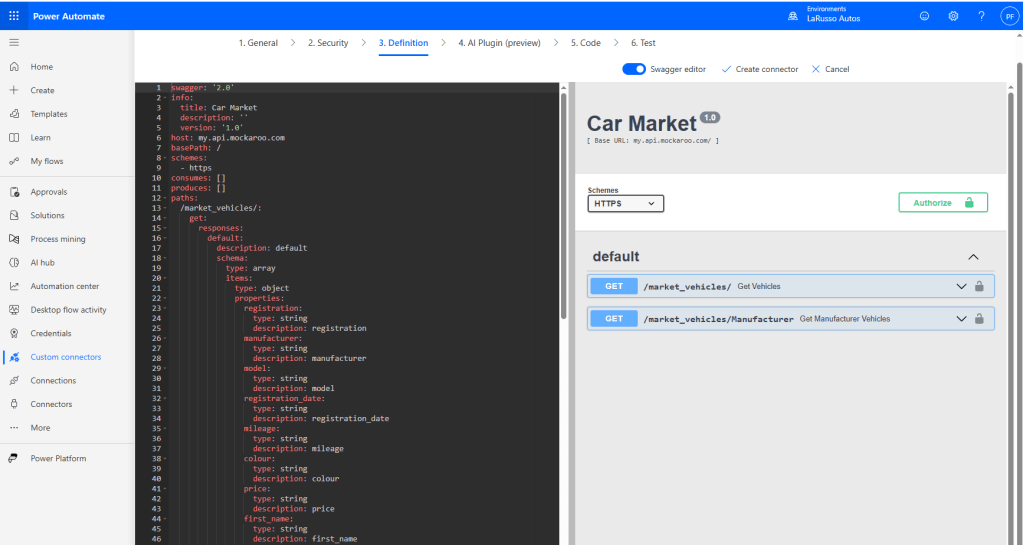
The code on the left is the raw YAML definition of our custom connector that the wizard is creating in the background. This toggle allows us to manually edit what has been generated. We want to make two changes. Firstly, in the paths section we must change
/market_vehicles/Manufacturer
to
/market_vehicles/{manufacturer}
This change sets {manufacturer} as a variable parameter in the URL path. Then in the get element of our /market_vehicles/{manufacturer} section, we change
parameters: []
to
parameters:
  - name: manufacturer
    in: path
    required: true
    type: string
And our updated YAML should look like the following. Note how the methods shown on the right have updated.
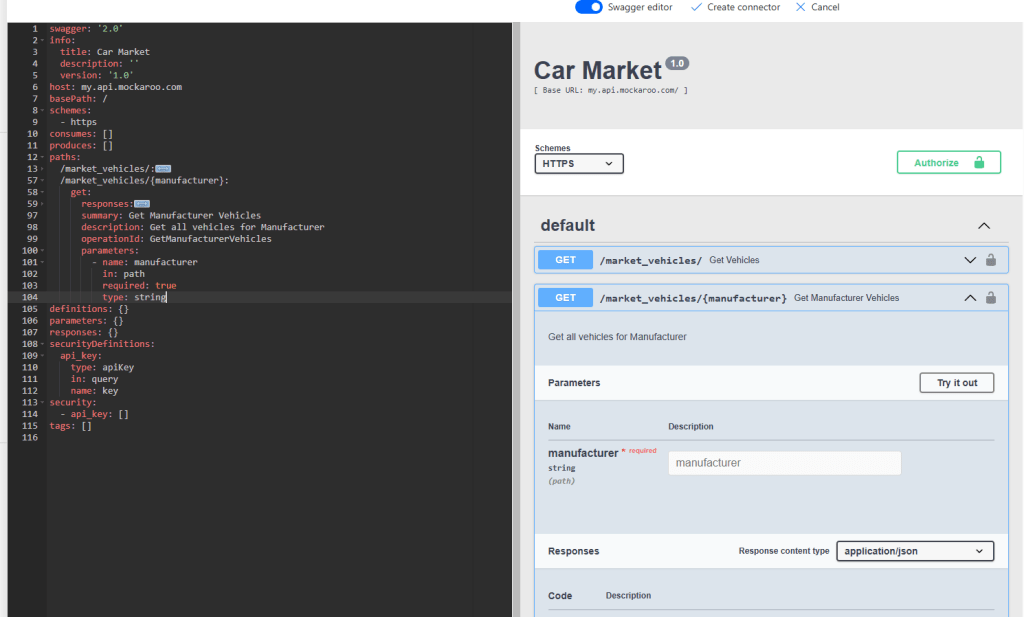
That’s our second API endpoint added. Click on the Create connector button at the top and we’re done!

 Power Platform Pete
Leave a comment