
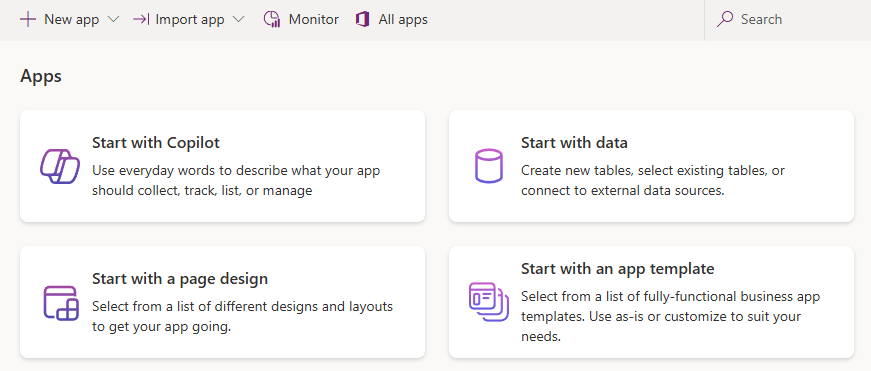
As outlined in the previous post, today we will build a canvas app! There are many great tools available to create a canvas app at the click of a button, including:
- Describing the problem scenario to Copilot.
- Outlining a data model and asking Power Platform to build an app from this.
- Picking a screen design and fitting a dataset to it.
- Choosing a predefined template and building on that.
Of course, we’ll not be using any of these options! Instead, we will be building our app from scratch because there’s more learning to be done that way (and it would be a very short post otherwise). What are we building today then?
In this post, we’ll build an app for the LaRusso Autos mechanics. The idea is that when a Vehicle is brought in for a Service, the mechanic will use our new canvas app to check off all the service items as they are completed.
Our app will be designed for a tablet in landscape orientation in the typical Gallery and Form design – that is, a scrollable list of items on the left side of the screen, with the bulk of the screen displaying the details of the selected item.
In this post, we’ll worry only about the functionality of the app; we can address the look and feel in further posts in addition to any refinements on data sources.
To begin, we want to add a series of new columns to our Service table. Each column represents an item being tested as part of the Service, with the potential values for each item being:
- Untested
- Unsatisfactory
- Satisfactory
- Replaced
Let’s create a new Choice in our solution to capture these values.
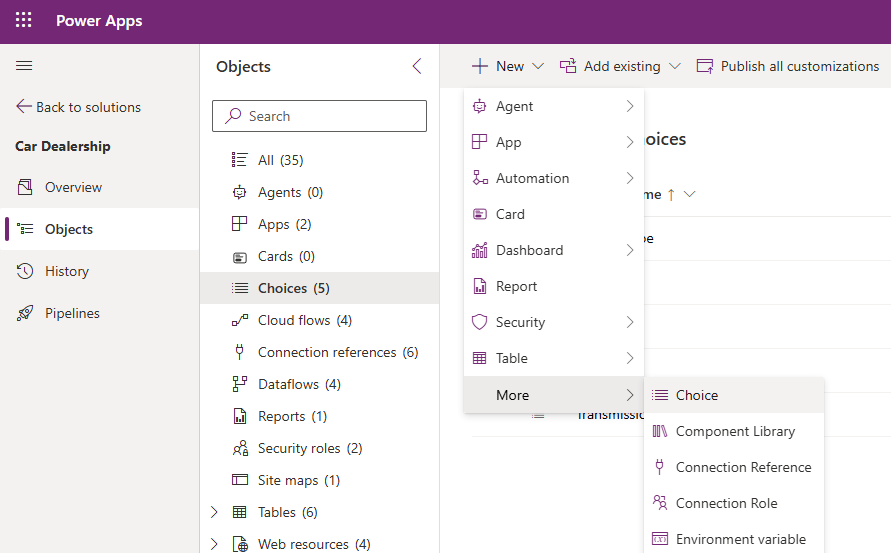
Set the Display name to Vehicle Check Status, and add the four Labels mentioned above. The Values do not need to match what I have below, accept whatever default values you are presented with and click Save.

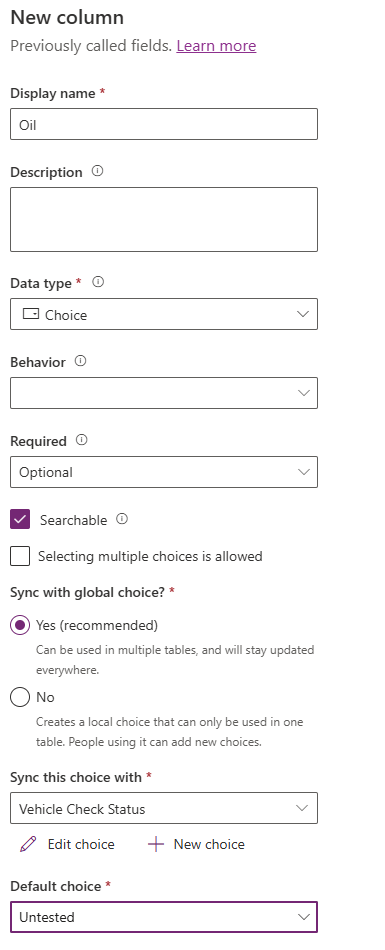
Next, we want to create Choice columns on our Service table for each testable item. Click on the Add column button and complete as follows:
- Display name – Oil
- Data type – Choice
- Required – Optional
- Sync with global choice? – Yes
- Sync this choice with – Vehicle Check Status
- Default choice – Untested
Repeat the above to create new Choice columns with the following names:
- Air Filter
- Battery
- Brake Fluid
- Brakes
- Exhaust
- Steering
- Suspension
- Tyres
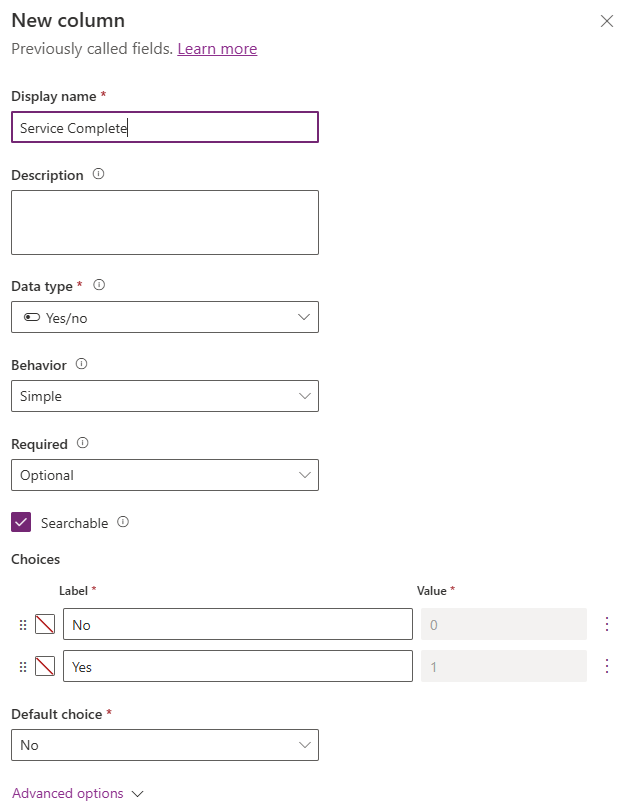
We also want to add a new Yes/no column named Service Complete, default value of No.

 Power Platform Pete
Leave a reply to Building Canvas Apps Part 3: Custom Forms, Containers and Patching – Power Platform Pete Cancel reply