
In our LaRusso Autos application, we’ve implemented a series of One-to-Many relationships in our data model (or Many-to-One depending on which way you look at them). Such relationships indicate a hierarchical or parental data structure:
- One Manufacturer has Many Models
- Many Vehicles are of the same (One) Model
However, there may be instances where the relationship between two tables is a peer-to-peer relationship.
A core part of the LaRusso Autos business is vehicle aftersales, where a Customer will bring their Vehicle to the garage for a Service.

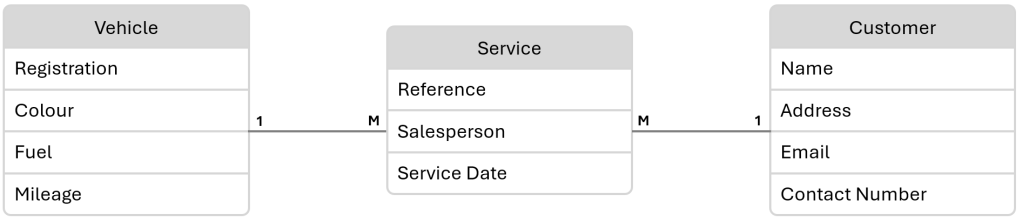
In the data model above, we must consider:
- One Customer may bring in Many Vehicles for a Service
- One Vehicle may have had Many owners (Customers) in its Service history
As we have a One-to-Many relationship on both sides, we end up with a Many-to-Many relationship. Dataverse supports Many-to-Many relationships out of the box, but if we want to store properties about the nature of the relationship, then we should create a link table. In our case, we want to model Service as a table and capture the following properties in addition to Customer and Vehicle:
- Service Date
- Salesperson (another relationship!)
- Details (freetext info on the service itself).
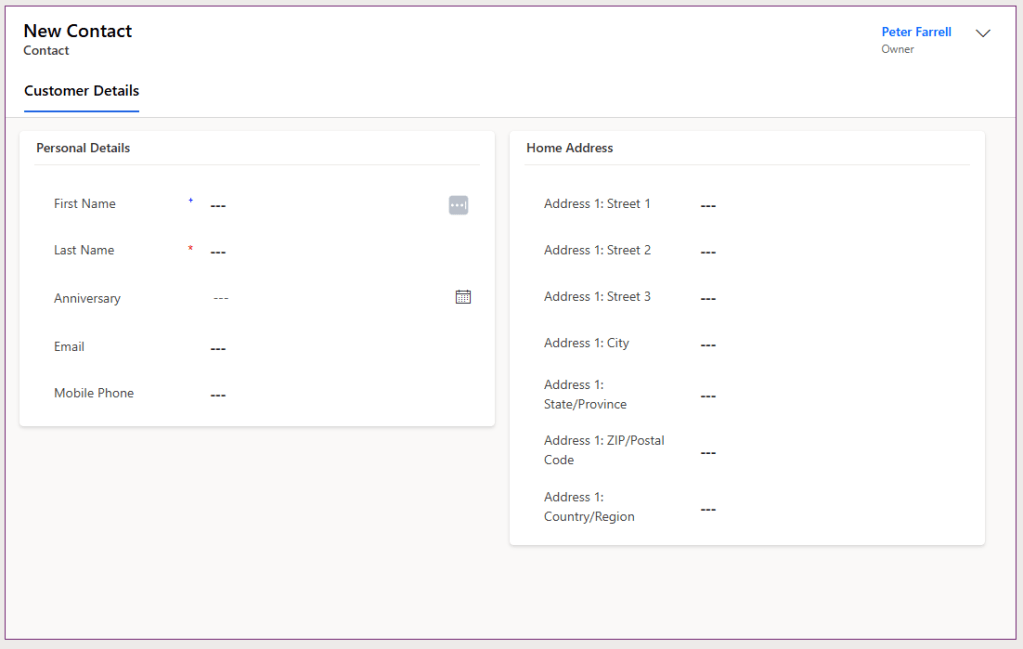
As per our previous post on using existing tables, I’ve imported the existing Contact table to capture Customer information and created a custom Main form with the subset of field I wish to capture:
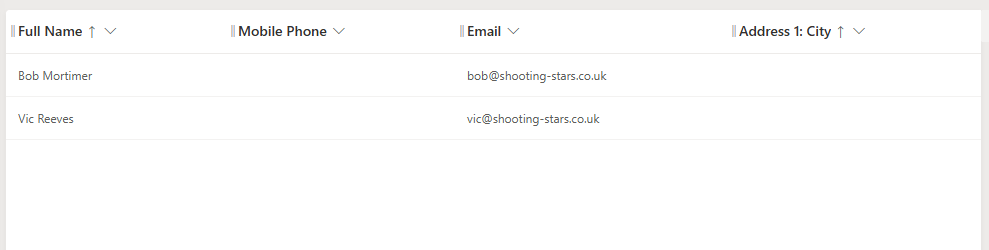
I’ve also create a custom View, again displaying only the details I’m interested in.
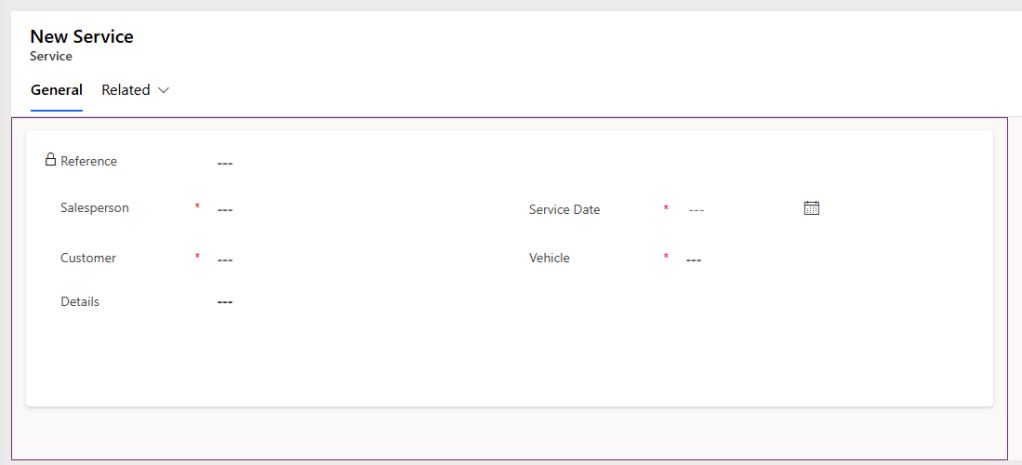
I’ve created a new Service table:
- Reference (rename of primary column; Autonumber)
- Salesperson (Lookup to User table)
- Service Date (Date and time)
- Customer (Lookup to Contact table)
- Vehicle (Lookup to Vehicle table)
- Details (Textarea)
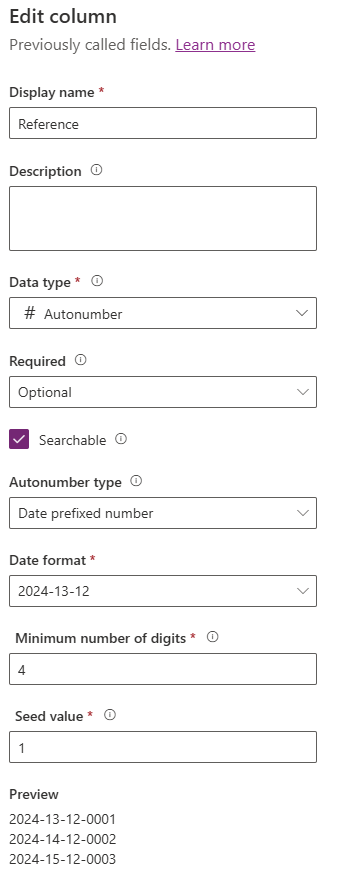
I’ve changed the primary column to be named Reference (instead of Name). I’ve made it optional (as opposed to the standard required), and an Autonumber:
I’ve also created a Form – the Reference field is Read Only – the users does not have to type a value in here (nor can the edit after) as one will automatically be created when the record is saved:
Of course, when a record is saved, it is shown in my new View:

Again, as per a previous post, I’ve added an icon to the table and included it in the app navigation:

I’ve created the Service relationship as a separate entity here because we need to capture properties about the Service itself as discussed. However, my personal preference is to always use link tables to model Many-to-Many relationships even when we are not capturing properties on the link table, because it gives us the flexibility of adding properties at a later date should they arise (and they will!).

 Power Platform Pete
Leave a comment