
Daniel LaRusso is interested in any new Ferraris that are on sale. We will set up a weekly scheduled flow to query our API for any new Ferraris. Take a look at our previous post on how to create scheduled flows, as well as this post on implementing try/catch error handling.
Our flow consists of the following elements:
- Trigger – Recurrence (set to once per week).
- Scope – Try
- Action – HTTP
- Action – Parse JSON
- Condition
- True
- Action – Create HTML table
- Action – Sand an email (V2)
- False
- No Actions
- True
- Scope – Catch
- Action – Terminate
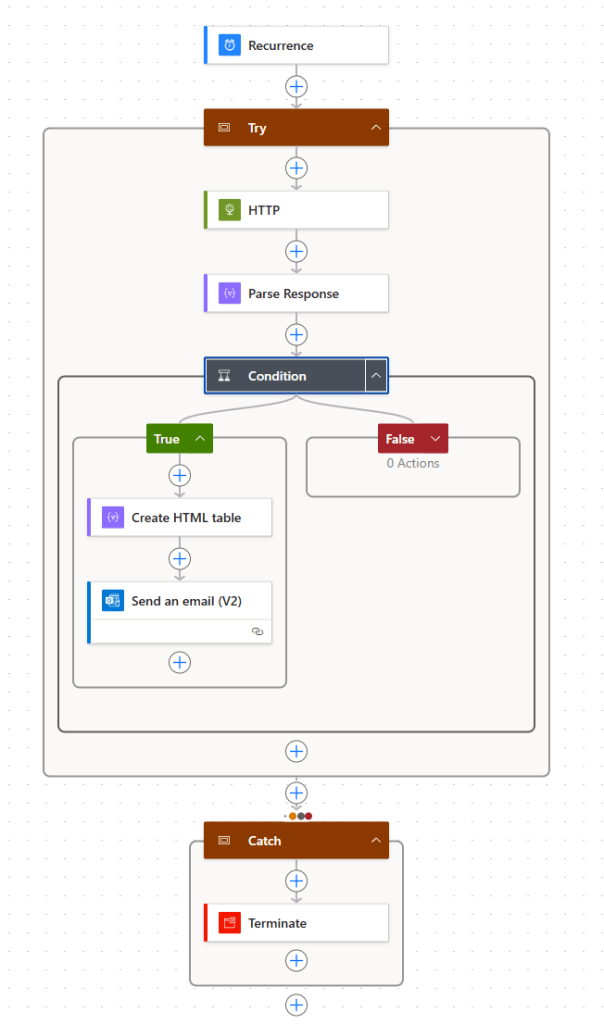
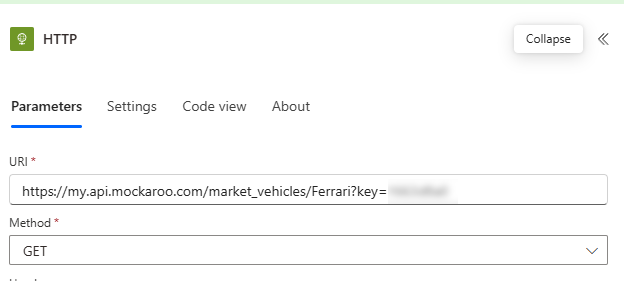
Looking at each action in turn, starting with HTTP.
- URI – this is our API endpoint to fetch records of vehicles for a specific manufacturer – in this case, Ferrari.
- Method – GET
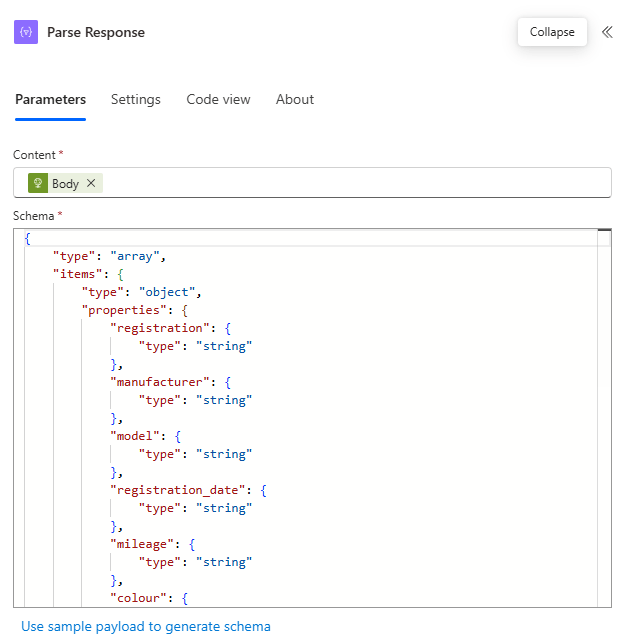
Next, we look at the Parse JSON action (renamed Parse Response here).
- Content – Body from the HTTP action
- Schema – Click the “Use sample payload to generate schema” link here to copy and paste a sample of the data returned from our API call.
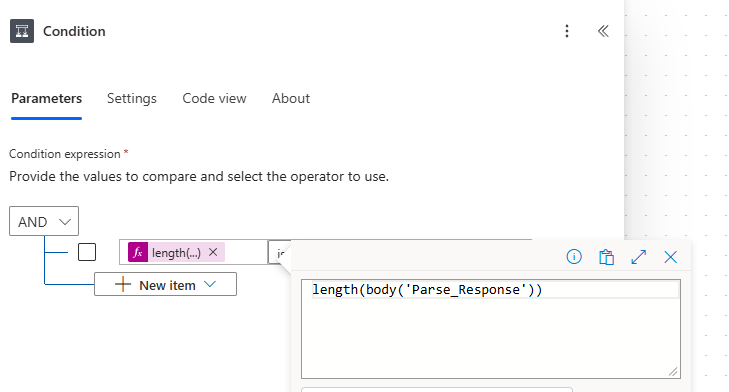
Next our Condition – this is true if the length of the Parse Response body is greater than zero – i.e. one or more Ferraris returned.
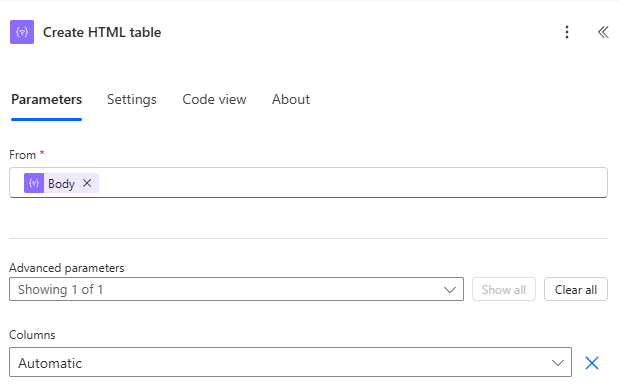
Next, we want to create a table of the results found so that we can add into an email. To do so, we’ll use the Create HTML table action:
- From – Body from Parse Response action.
- Columns – Automatic
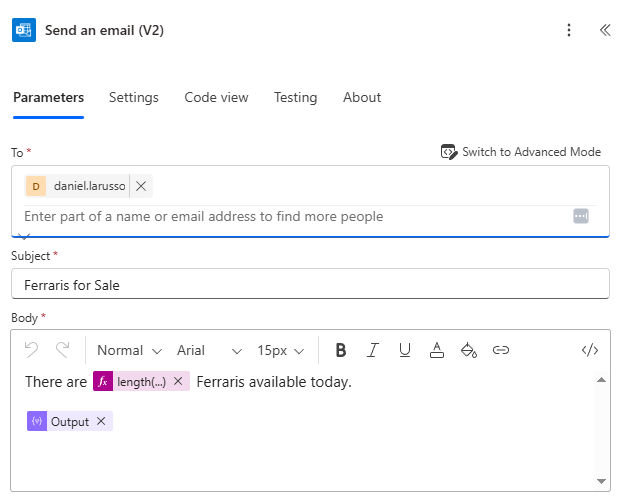
Next we have the Send an email (V2) action
- To – Daniel LaRusso
- Subject – Ferraris for Sale
- Body
- There are [length of the Parse Response body] Ferraris available today.
- Output from the Create HTML table action
We’ve configured the Catch container only to run if the Try container has skipped, failed or timed out, and the Terminate action is invoked to show that the flow itself has failed.

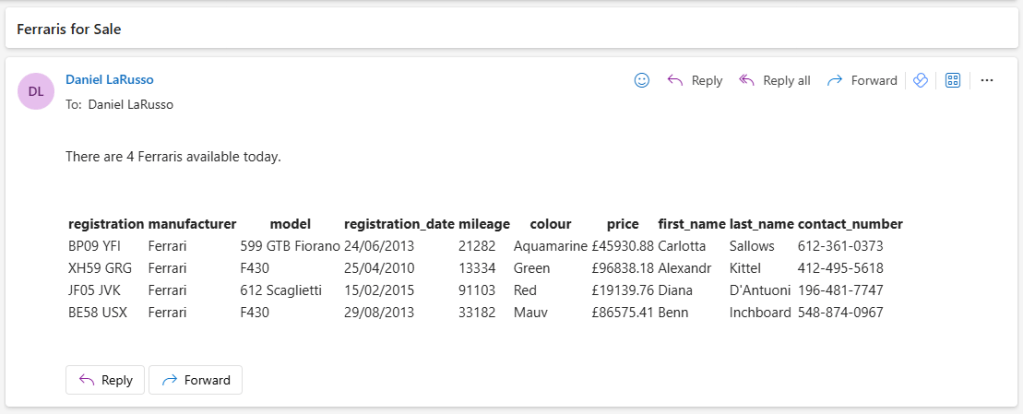
However, if there are no failures and there are Ferraris for sale, Daniel will receive an email like this:
Our API is quite simple – at most we are supplying a single parameter. But what if we have quite a complex list of parameters to supply? Furthermore, the API key is hardcoded into our flow – although we could update this to be a variable value, it’s not very secure. Furthermore, if we have multiple flows that use our API endpoint and it changes for any reason, we need to update every flow. There must be a better way to do this.
There is – in the next post, we’ll look at Custom Connectors.

 Power Platform Pete
Leave a comment