
Click on APIs from the top ribbon, then click the Create a new Mock API button. Complete the screen as follows then click the Create mock API button.
- Route – GET /market_vehicles/:manufacturer
- Handler Script – from_dataset(“MarketVehicles”, criteria: { manufacturer: params[‘manufacturer’] }, as_json: true)
We’ve updated the Route to include a new :manufacturer parameter. This parameter is added to the Handler Script as filter criteria – i.e. we will only return those records where the manufacturer property matches the value of the new :manufacturer parameter.

The test URL is the of the format:
https://my.api.mockaroo.com/market_vehicles/ZZZ?key=XXX
Again, the XXXXXXX value is our API key mentioned above, whereas ZZZ is the value of the manufacturer parameter. For example if I go to:
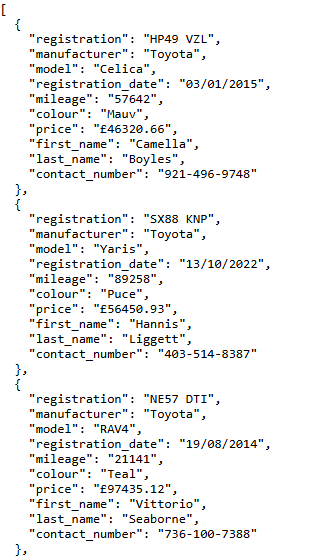
https://my.api.mockaroo.com/market_vehicles/Toyota?key=XXX
Then the endpoint will return only Toyota vehicles:
So that’s our two API endpoints created! Let’s write a quick Power Automate flow to integrate our API into our solution.

 Power Platform Pete
Leave a comment