
Today we will build a dummy API giving use the details of vehicles for sale in the open market, and the details of the seller. We will provide two API endpoints:
- Get all vehicles for sale
- Get all vehicles for sale from a specified manufacturer
For each vehicle found, our API will return the following properties:
- Vehicle Registration Number
- Manufacturer
- Model
- Registration Date
- Mileage
- Colour
- Price
- Seller name
- Seller contact number
Create an account at Mockaroo – it’s free and a really useful services for developers to create dummy datasets, APIs and databases. Add the following fields:
| Field Name | Type | Options |
| registration | Character Sequence | ^^## ^^^ (two letters, two numbers, space, three letters) |
| manufacturer | Car Make | |
| model | Car Model | |
| registration_date | Datetime | set desired min and max dates |
| mileage | Character Sequence | ##### (five random digits) |
| colour | Color | |
| price | Money | set desired min and max price range |
| first_name | First Name | |
| last_name | Last Name | |
| contact_number | Phone | set desired phone number format. |
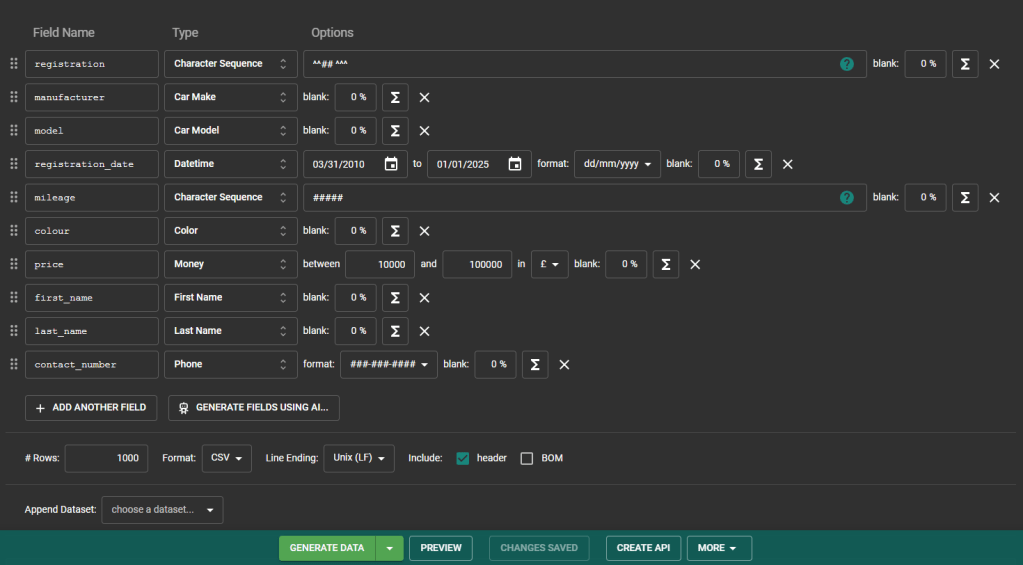
Click the Save As… button and give the schema the name MarketVehicles and click Save.

Next, click on Schemas from the top ribbon. From the list of available schemas, select MarketVehicles.

From the schema screen, select Generate Data.

Click on Datasets from the top ribbon. From the list of available datasets, select MarketVehicles.
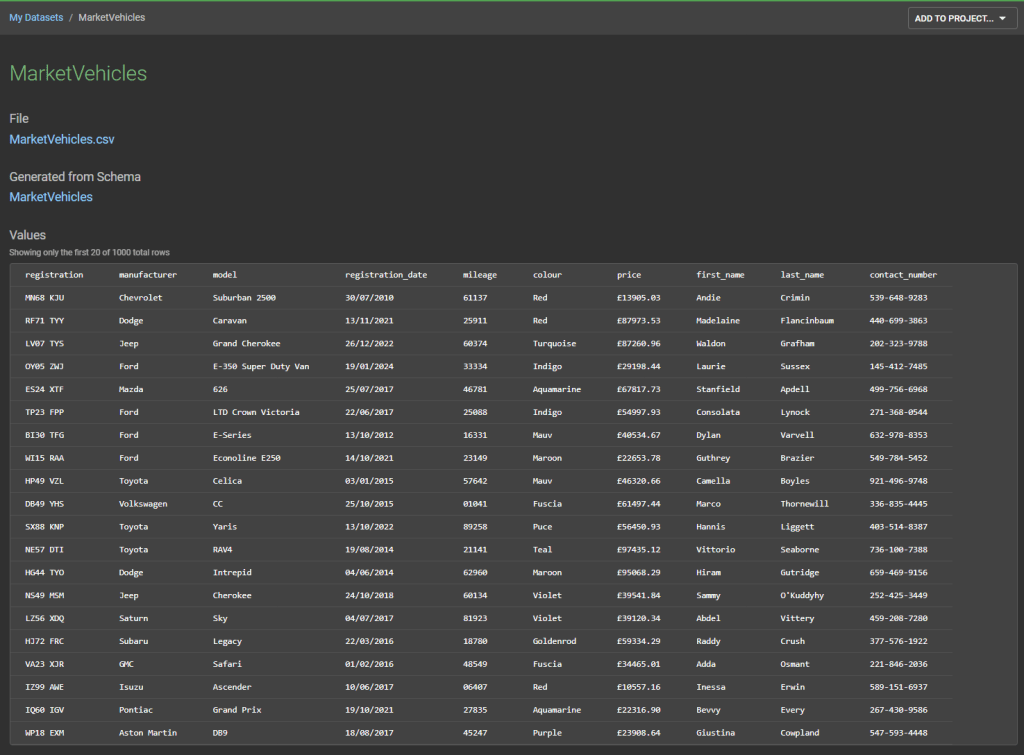
Now that we have created a dummy dataset, we want to create API endpoints to fetch this data. Click on APIs from the top ribbon, then click the Create a new Mock API button.

Complete the screen as follows then click the Create mock API button.
- Route – GET /market_vehicles
- Handler Script – from_dataset(“MarketVehicles”, as_json: true)
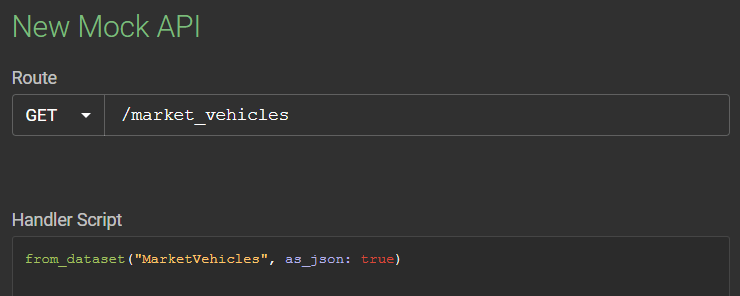
And that’s our first API endpoint created! The Mock API screen will provide a URL where you can test the endpoint. The URL is the of the format:
https://my.api.mockaroo.com/market_vehicles/?key=XXX
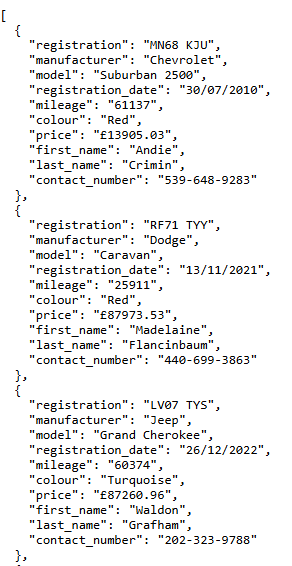
The key parameter here is used by Mockaroo to authenticate the request – if it is not supplied, then our API will return a HTTP code of 401 (Unauthorized) and supply an error message. The value of key here is tied to your user account. Many third party APIs use API_KEY authentication like this. All being well, a successful request to our endpoint should look something like this:
Ideally, we’d like to supply some filter parameters to our API – let’s create another endpoint to do this.

 Power Platform Pete
Leave a comment