
To implement pagination in our canvas app, we need to create our Get Matching Contacts Totals flow, which will tell us how many records match all of the filter criteria supplied, and how many pages they will be split across depending on supplied PageSize.
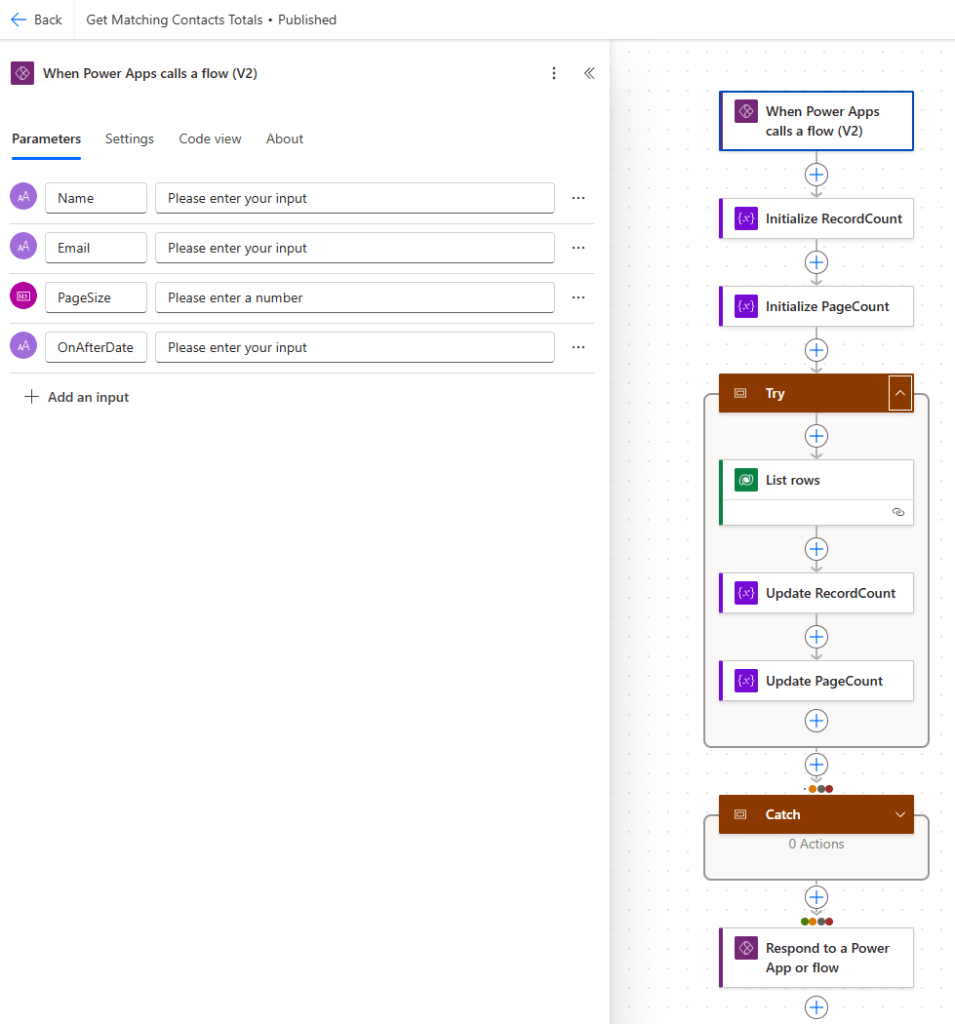
Let’s create a new Instant flow with the following structure:
- Trigger – Power Apps – When a Power Apps calls a flow (V2).
- Action – Initialize variable (renamed as Initialize RecordCount).
- Action – Initialize variable (renamed as Initialize PageCount).
- Scope – Try
- Action – Dataverse – List rows
- Action – Update variable (renamed as Update RecordCount).
- Action – Update variable (renamed as Update PageCount).
- Scope – Catch (run after Try failed)
- Empty
- Action – Power Apps – Respond to a Power App or flow.
For our Trigger, we should add the following parameters:
- Name – we will query Dataverse to find the number of records where the first name or last name of the contact begins with this filter value.
- Email– we will query Dataverse to find the number of records where the email of the contact begins with this filter value.
- PageSize is the number of records we wish to display on screen at once
- OnAfterDate – we will query Dataverse to find the number of records where the birthday of the contact occurs on or after this filter value.
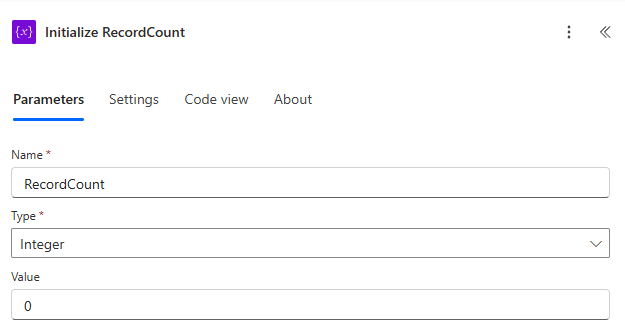
Update the Initialize RecordCount action as follows
- Name – RecordCount
- Type – Integer
- Value – 0
Update the Initialize PageCount action as follows
- Name – PageCount
- Type – Integer
- Value – 0
Inside the List rows action we set the Table name as Contacts and set the Fetch Xml Query parameter to that shown below (found here).
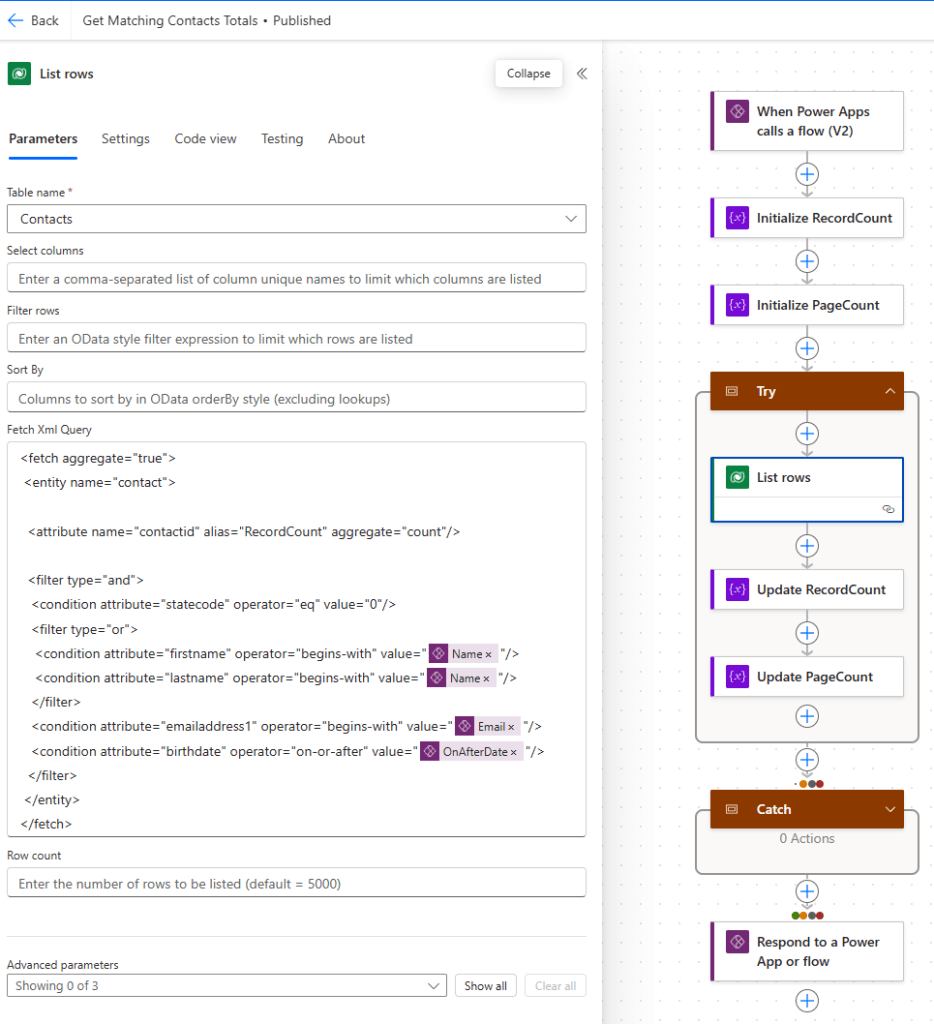
Despite using the List rows action, we will only ever retrieve a list of records with one item in the list, because we are using the aggregate attribute in our FetchXML query. In our XML, we will return the count of all records matching the supplied filter criteria, to which we assign the alias RecordCount.
Update the Update RecordCount action as follows:
- Name – RecordCount
- Value – outputs(‘List_rows’)?[body/value’][0][‘RecordCount’]
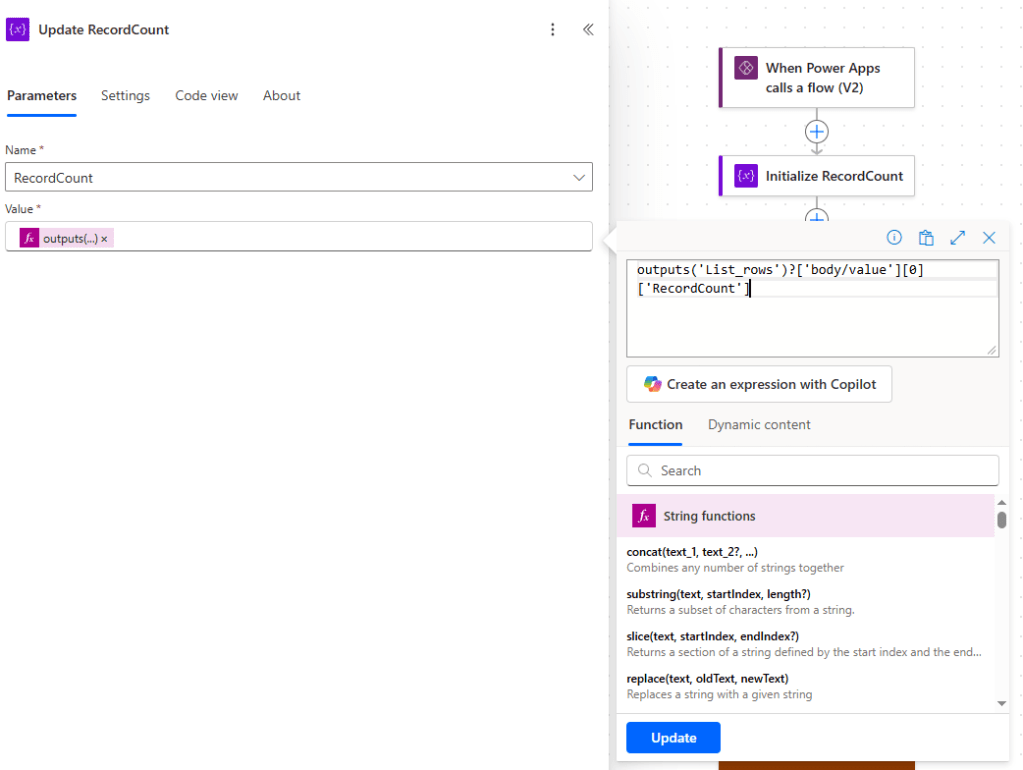
The Value takes a bit of explaining here. Let’s read from left to right:
- outputs(‘List_rows’) – this is a reference to the output from the List rows action.
- ?[body/value’] – this is the body/value of the List rows action.
- [0] – this refers to the first (and only) item of the body/value list.
- [‘RecordCount’] – this is a reference to the RecordCount property of the item.
In short, we are setting our RecordCount variable to match the value returned from querying the Contacts table with our FetchXML.
Next we have to update the Update PageCount action as follows:
- Name – PageCount
- Value – if(equals(mod(variables(‘RecordCount’), triggerBody()?[‘number_2’]),0),div(variables(‘RecordCount’), triggerBody()?[‘number_2’]),add(1, div(variables(‘RecordCount’), triggerBody()?[‘number_2’])))
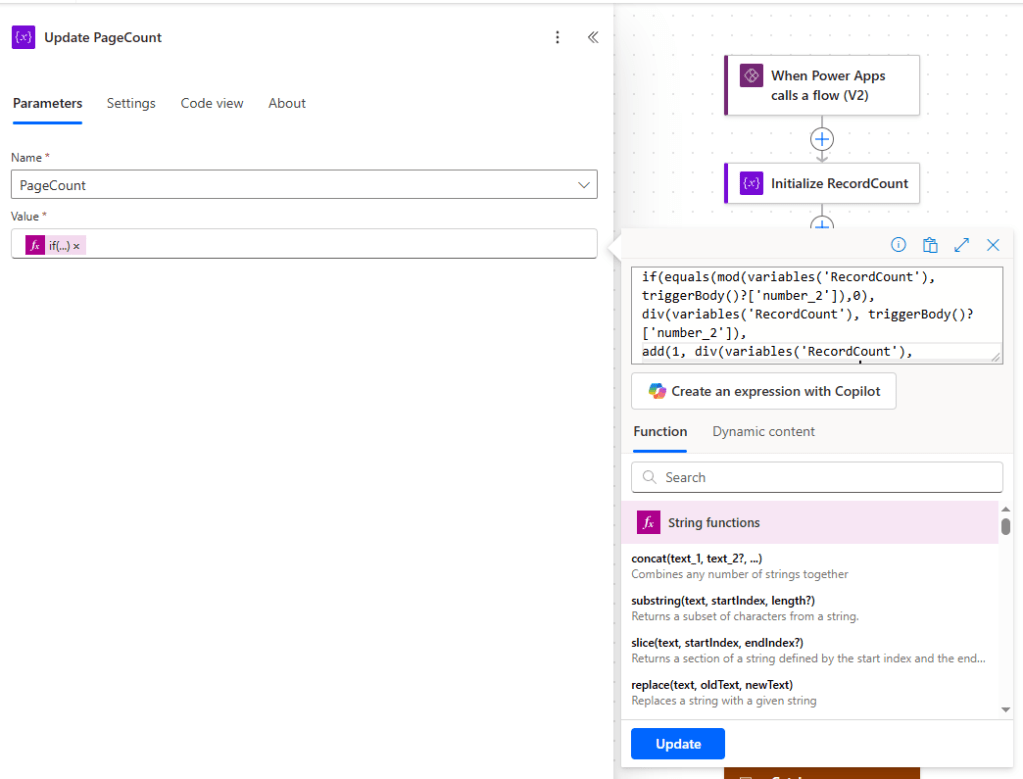
The Value here also takes a bit of explaining! Our goal here is to set the number of pages (PageCount) to be equal to RecordCount / PageSize rounding up.
Let’s break this up and explain what we’re doing.
- if(condition, valueIfTrue, valueIfFalse) – the if operator is used to evaluate a condition, returning valueIfTrue if that condition is true, otherwise returning valueIfFalse.
- condition – equals(mod(number, divisor), 0)
- number – variables(‘RecordCount’) – the value of our RecordCount variable i.e. total number of records matching the search criteria.
- divisor – triggerBody()?[‘number_2’]) – the value of the PageSize input parameter from our trigger i.e. how many records to be displayed per page.
- mod(number, divisor) – returns the remainder after number is divided by divisor.
- equals(mod(number, divisor), 0) – returns true is the remainder above is 0, else false.
- valueIfTrue – div(variables(‘RecordCount’), triggerBody()?[‘number_2’])
- number – variables(‘RecordCount’) – as above
- divisor – triggerBody()?[‘number_2’] – as above
- div(number, divisor) – integer division; result is equal to number divided by divisor rounding down to the nearest whole number (e.g. 16/10 = 1.6 which rounds down to 1).
- valueIfFalse – add(1, div(variables(‘RecordCount’), triggerBody()?[‘number_2’]))
- number – div(variables(‘RecordCount’), triggerBody()?[‘number_2’]) – the same as the valueIfTrue expression above.
- add(1, number) – add 1 to number.
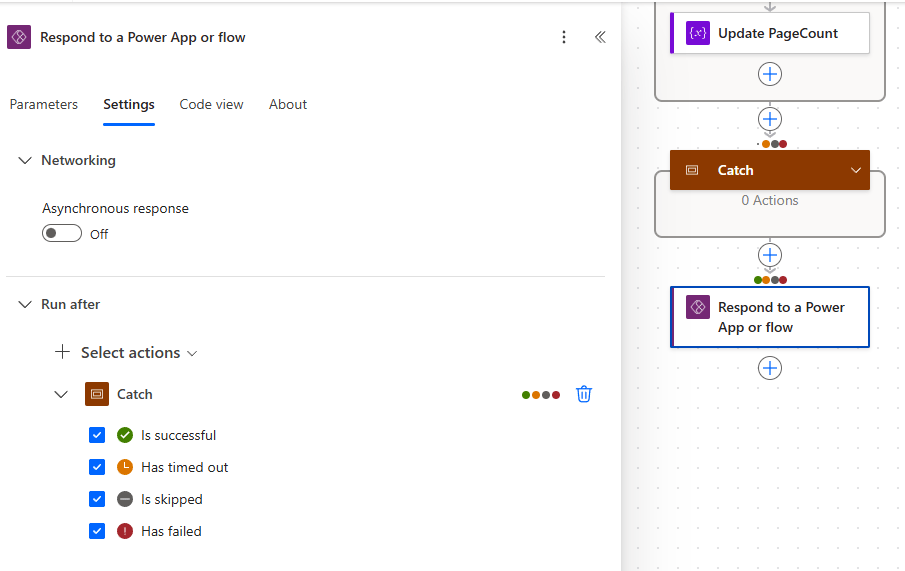
Phew! Note that we’ve opted to use a single Power Apps – Respond to a Power App or flow action rather than having separate Successful Response and Failed Response actions, which we place after the Catch container. To ensure that it runs, we configure the Run after property in the Settings tab to always execute after the Catch container.
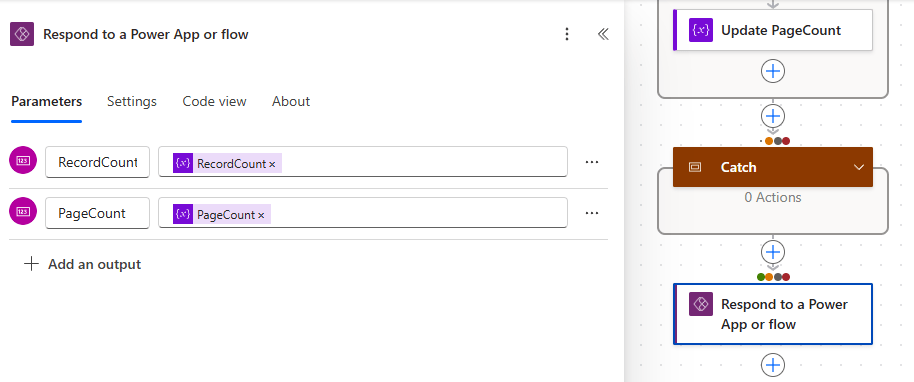
We also add return parameters for RecordCount and PageCount. This action is much simpler than using the Response action because we don’t need to supply sample JSON payloads. It should be used whenever we intend to return a list of values rather than a list of records.
Save and publish our flow and add to the solution as before.

 Power Platform Pete
Leave a comment