
Let’s head over to Power Automate and create the Get Matching Contacts Instant flow. The flow has a similar structure to previous flows we have written in older posts.
- Trigger – Power Apps – When a Power Apps calls a flow (V2).
- Scope – Try
- Action – Dataverse – List rows
- Action – Response – rename as “Successful Response”
- Scope – Catch (run after Try failed)
- Action – Response – rename as “Failed Response”
For our Trigger, we should add the following parameters
- Name – we will query Dataverse to find records where the first name or last name of the contact begins with this filter value.
- Email– we will query Dataverse to find records where the email of the contact begins with this filter value.
- Page and PageSize
- PageSize is the number of records we wish to display on screen at once
- Page is the group of records we wish to return after we divide all records into groups that are PageSize in length.
- OnAfterDate – we will query Dataverse to find records where the birthday of the contact occurs on or after this filter value.
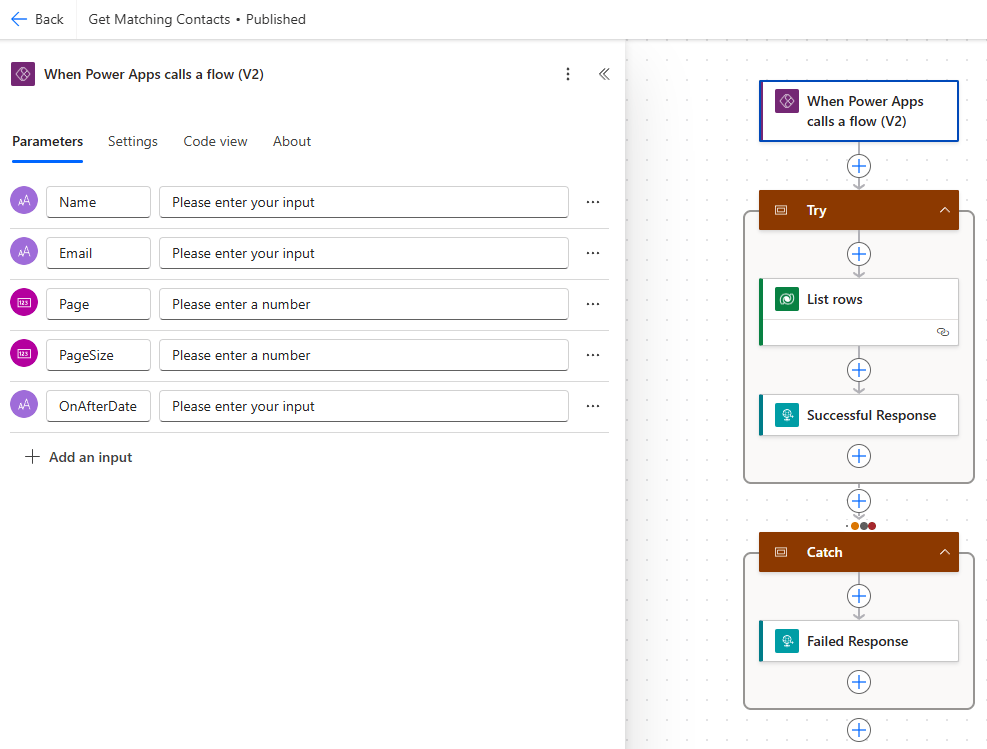
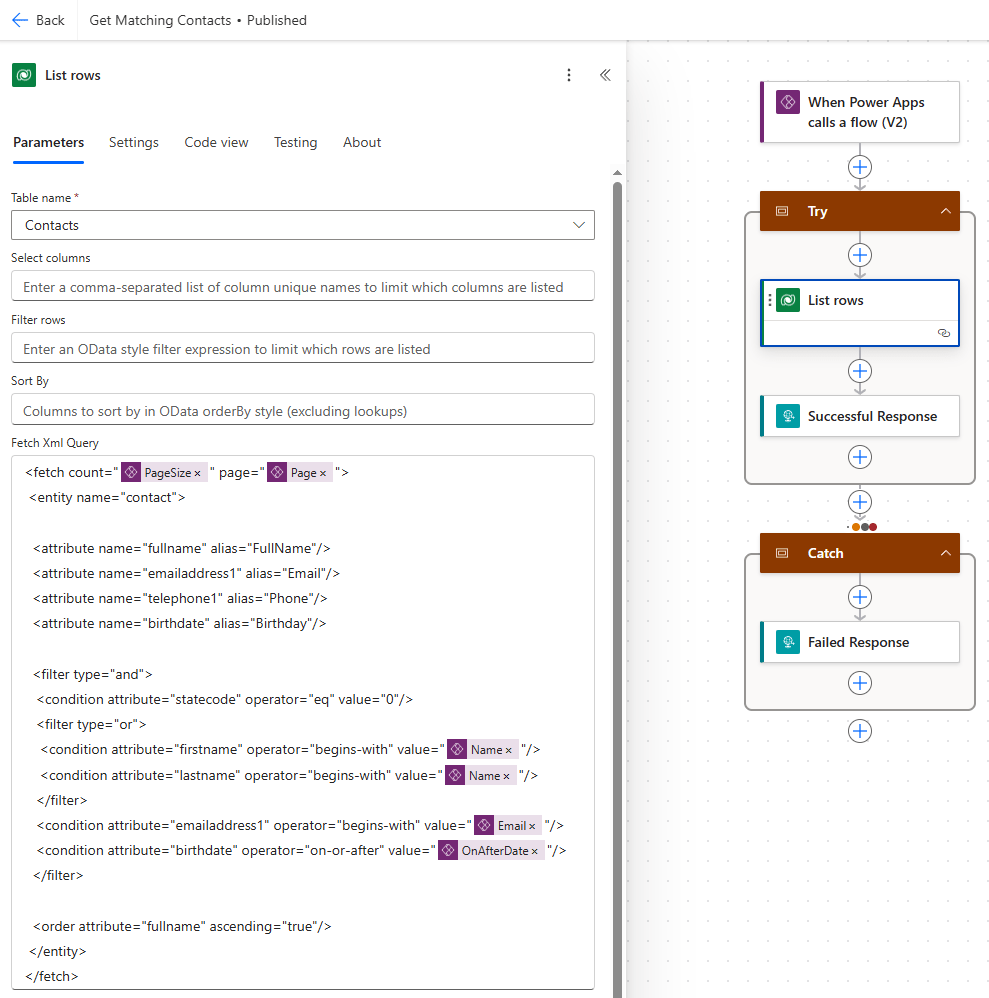
Again, we have implemented the Try/Catch error handling mechanism. Inside the List rows action we set the Table name as Contacts and set the Fetch Xml Query parameter to that shown below (found here).
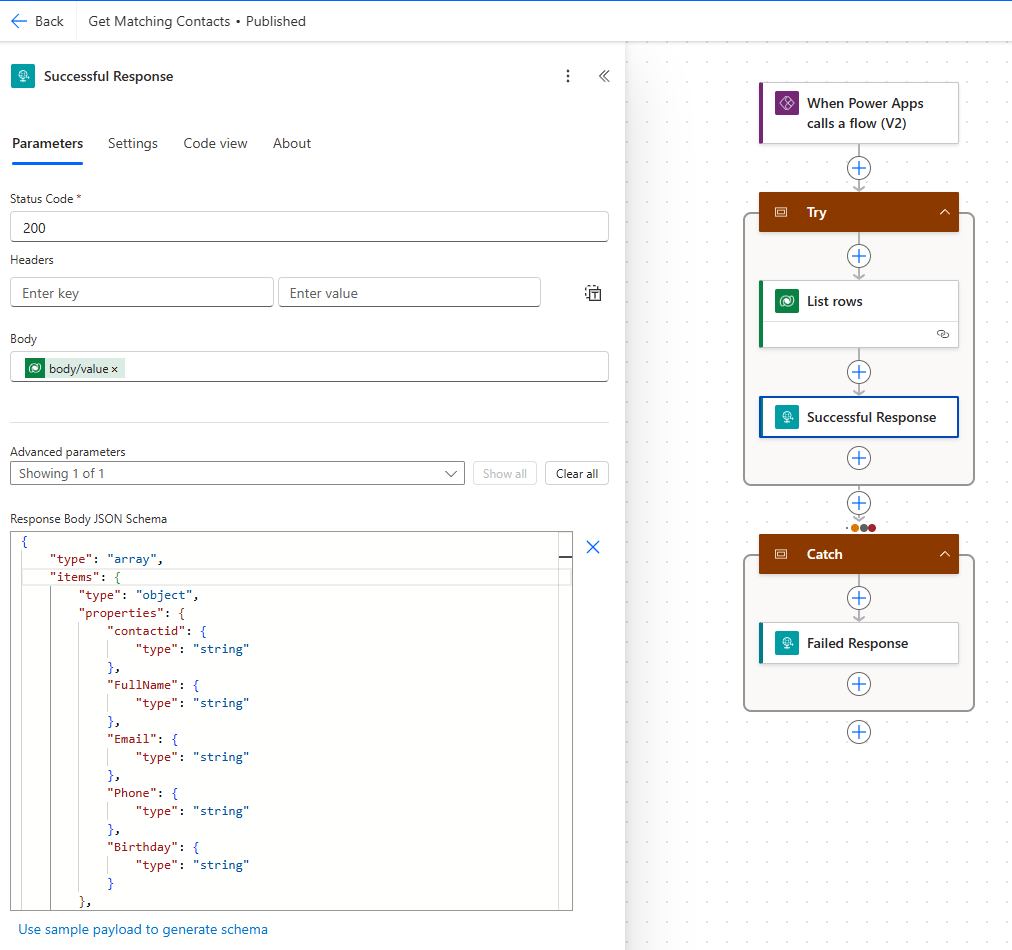
As per the last post, we update the Successful Response action:
- Status Code – 200 (successful response).
- Body – List rows body/value
Using the same technique to set the Response Body JSON Schema as before (using the Use sample payload to generate schema link).
- Status Code – 500 (unsuccessful response).
Save and publish the flow and add to our solution as before. This flow will return a maximum of PageSize records at any one point in time, thus ensuring that our canvas app will not be burdened by a large underlying dataset. All the filtering of records is being handled by Power Automate, keeping our canvas app performant.

 Power Platform Pete
Leave a comment