
When viewing a record, it can be useful to see related records without navigating to a new screen. In our LaRusso Autos app, it would be useful to see:
- All available Vehicles from the Manufacturer form.
- All available Vehicles from the Model form.
We can achieve this with subgrids. From the solution view, select Tables > Manufacturer from the side navigation, and then click on the Main form to load the editor.
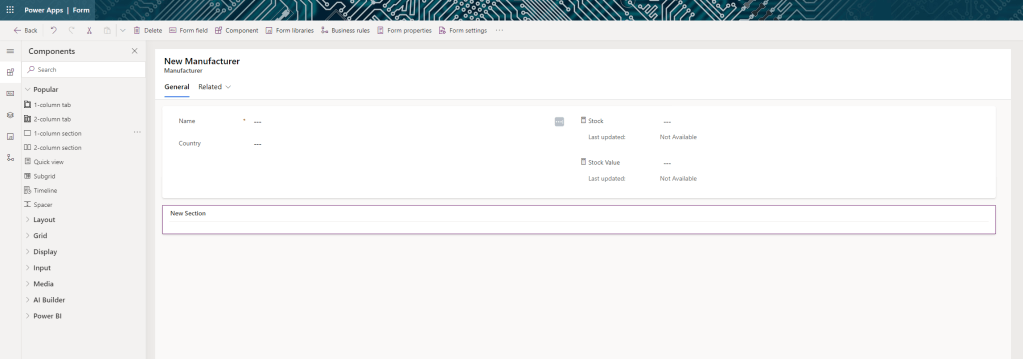
From the icons on the left of the screen, select Components (second from top) to show the list of Components we can use to organise the layout of our form. Drag the 1-column section component onto our form as shown above.
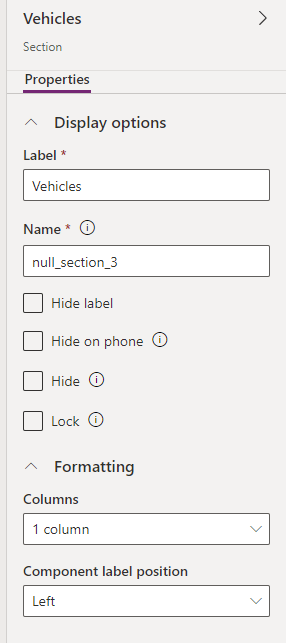
If we select our new section, the properties dialog will open on the right of the screen. I’ve opted to change the Label from the default New Section to Vehicles.
Once I save this, I want to drag the Subgrid component onto my newly created section. Doing so will launch a popup asking me to specify which table of records should be displayed.
- Show related records: selected
- Table: Vehicles (Manufacturer)
- Default view: Sale Vehicles
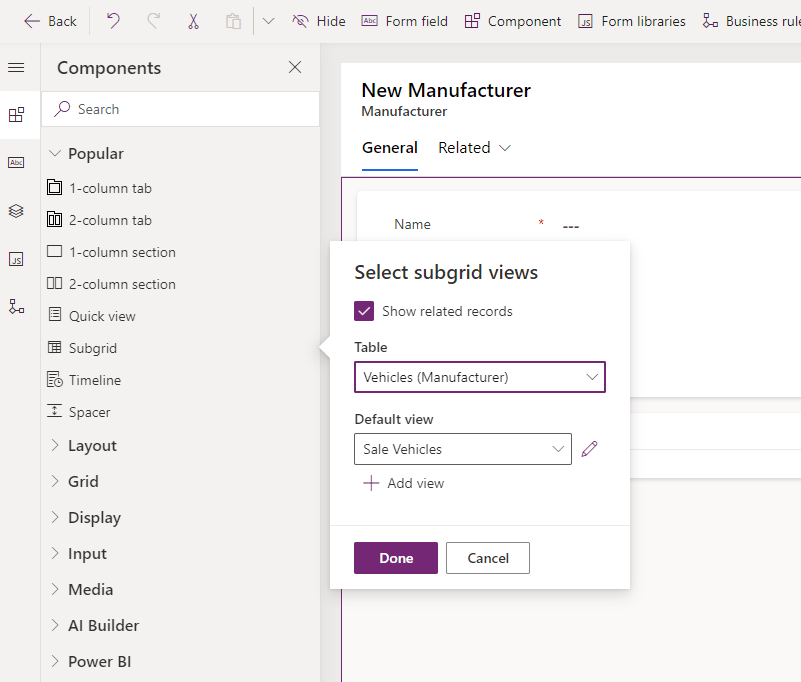
Click Done. This will show all Vehicles for sale for the Manufacturer record shown – that is, if we are viewing the BMW record, the table will be filtered to BMW Vehicles only as opposed to the complete dataset.
Note that is we select our new subgrid, the properties dialog is available on the right.
- Hide label: selected
- Allow users to change view: selected
- Selected views
- Sale Vehicles
- Sold Vehicles
- Maximum number of rows: 20

Save our updates and then click Save and publish.
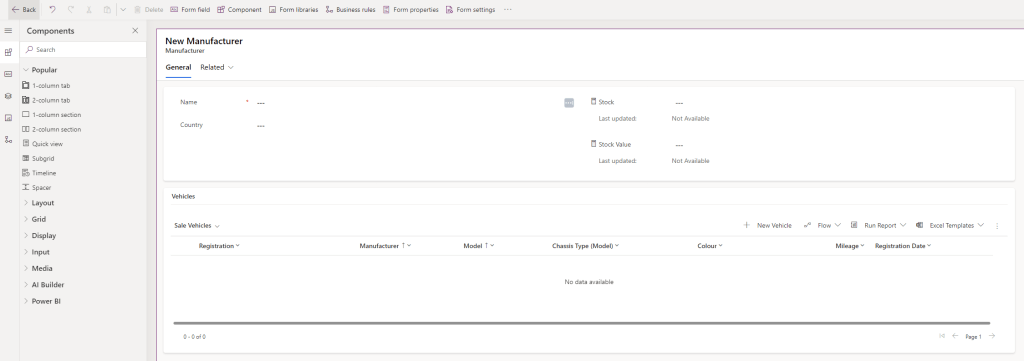
From the solution view, select Tables > Model > Forms from the side navigation and select the Main form. Repeat the above process to create a new sections and subgrids for this form to yield the following.

Save our updates and then click Save and publish. This subgrid will only show Sale Vehicles for the selected Model – if the selected Model is a BMW 3 Series, then the grid will only show BMW 3 Series vehicles as opposed to the full dataset or the subset of BMW Vehicles. In essence, a further filter on the existing Manufacturer subgrid.
 Power Platform Pete
Leave a comment